Built for field service teams

Field service,
minus the paperwork.

FieldFlow runs your jobs, schedule, quotes and invoices in one place. Ava, your AI assistant, turns a voice note or a photo into a scheduled job — so your team spends the day fixing things, not filing them.


  • Less admin, more action
  • Smarter scheduling
  • Fewer errors
Field service technician with his van, checking a job on his phone
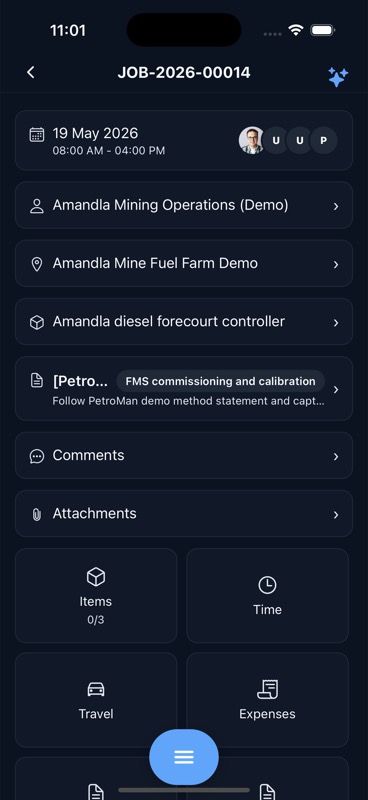
Job created from voice note JOB-2026-00014 · Scheduled 08:00
Ava
Ava “Booked Mike for Thursday 9am.”
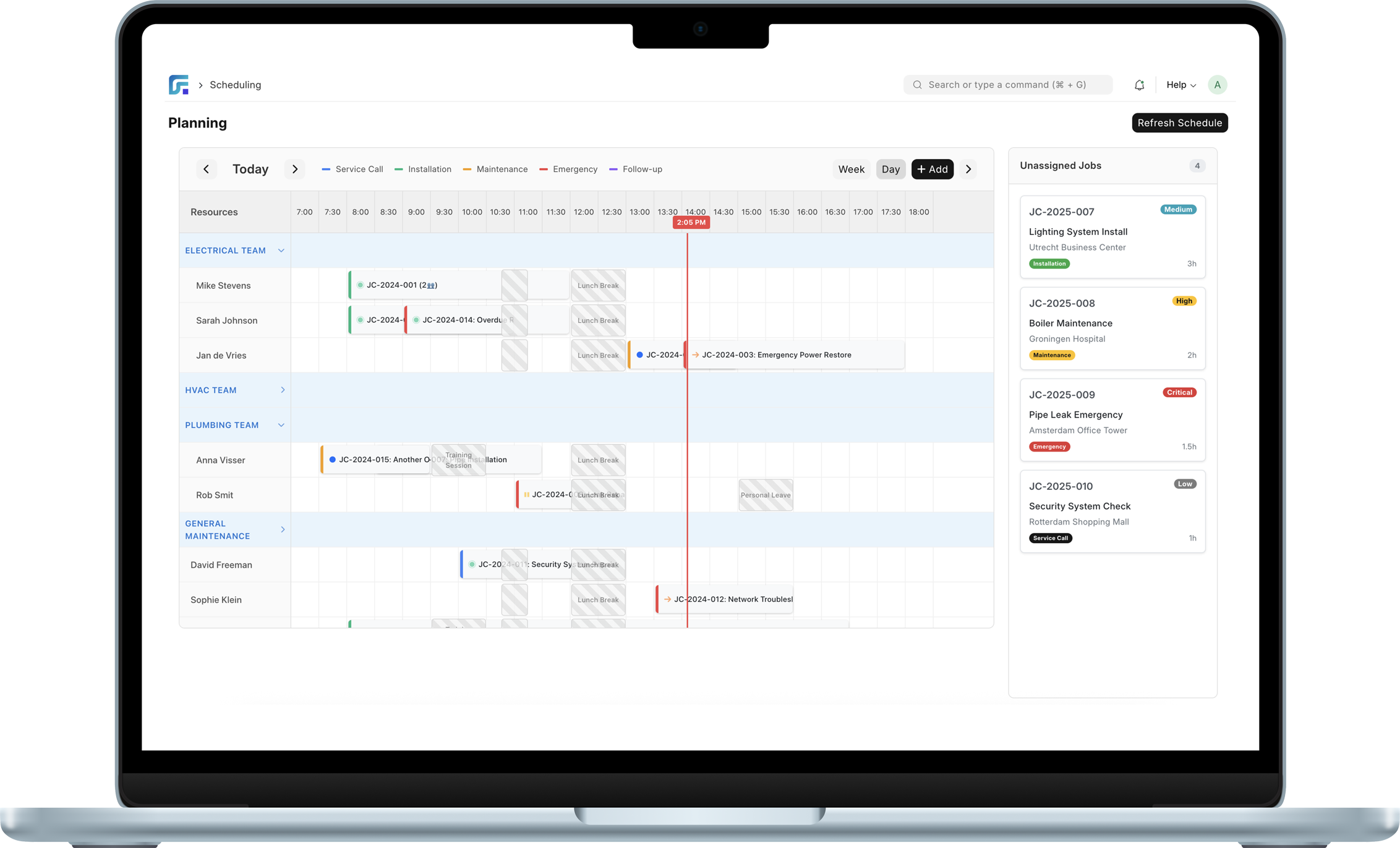
FieldFlow scheduling board on a laptop

Less admin, more action

Turn voice, text or photos into finished job cards. No retyping, no lost notes.

Smarter scheduling

The right technician at the right time — skills, travel and priorities considered.

Fewer errors

Required forms, checklists and signatures keep every job consistent and complete.

Meet FieldFlow and Ava

The management platform and the AI assistant were built together — so work flows from a customer request to a paid invoice without falling between systems.

The field service platform

Service requests, quotes, jobs, scheduling, assets, forms, signatures and invoicing — the full lifecycle in one system, with a customer portal your clients will actually use.

  • Drag-and-drop schedule board
  • Job cards with forms & signatures
  • Quotes, invoices & payments
  • Assets, parts & service plans
Explore FieldFlow →

Your AI service assistant

Say it, type it, or snap it. Ava understands what you mean, creates the job in FieldFlow, fills the details, and suggests the best slot on the schedule.

  • Text • Voice • Images
  • Voice note → finished job card
  • Photo of a paper job card → digital record
  • Natural-language scheduling
Meet Ava →

From “can you come fix this?”
to scheduled — in three steps

1

Say it, type it, or snap it

A customer calls, a tech leaves a voice note, someone photographs a paper job card. Ava understands the intent.

2

FieldFlow creates the job

Customer, site, and details auto-filled. The right checklist attached, required forms ready to go.

3

Schedule in one step

Ava suggests the best technician and time slot. Your planner confirms with a single click.

Built around how field teams actually work

Scheduling

Drag. Drop. Done.

See your whole team on one board. Drag jobs onto technicians, spot conflicts before they happen, and keep an eye on travel time. Unassigned work waits in a queue — nothing slips through.
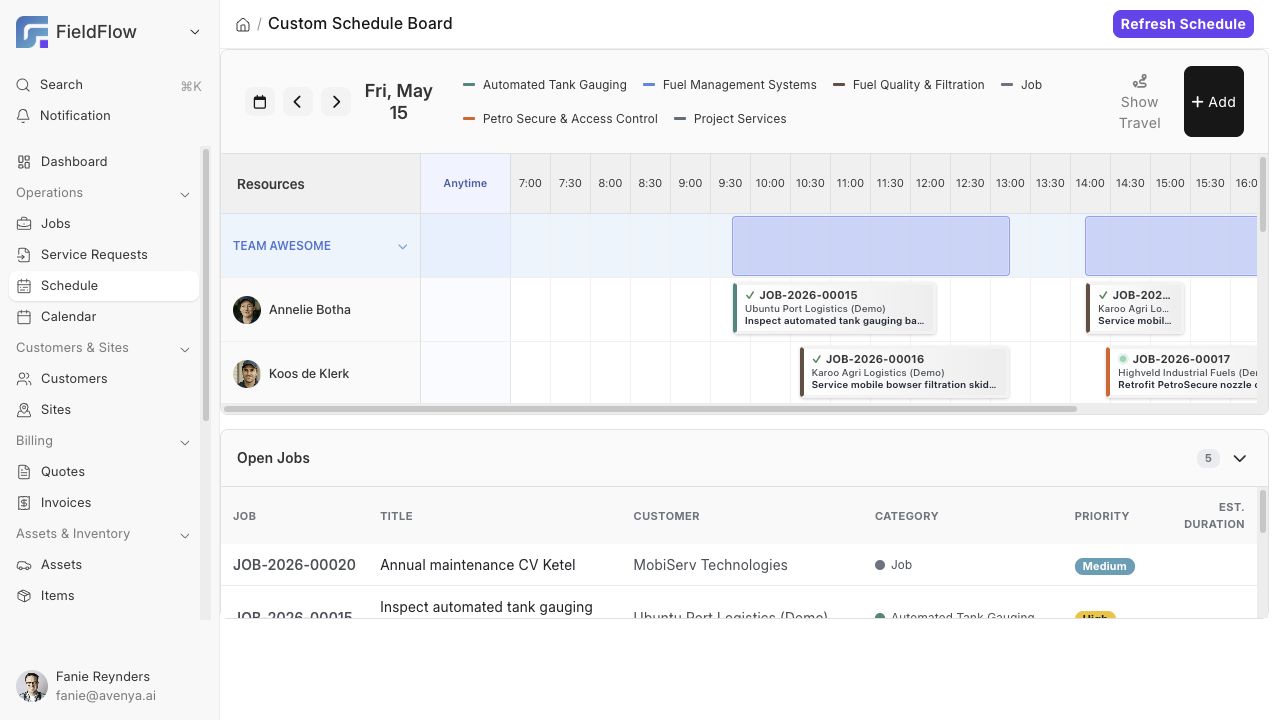
  • Day and week views with live technician availability
  • Exact-time or “anytime today” visits
  • Open-jobs queue so nothing gets forgotten
FieldFlow schedule board with drag-and-drop technician assignment
Jobs & job cards

Every job, complete and consistent

Each job carries its customer, site, asset, instructions, parts and forms. Required checklists and signatures are enforced before a visit can be completed — so the paperwork is done when the work is.
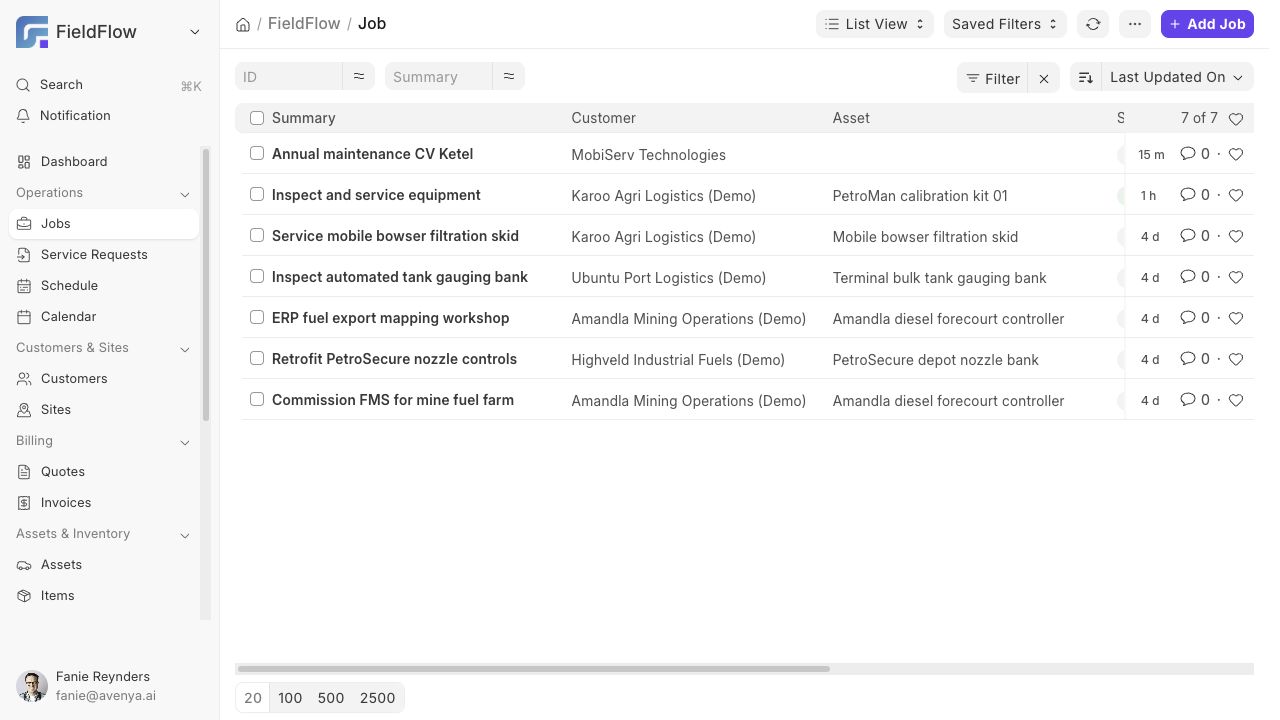
  • Multi-visit jobs with per-visit time, travel and expenses
  • Customer and technician signatures, with branded signed PDFs
  • Photos and attachments right on the job card
FieldFlow jobs list
Quotes & invoicing

From quote to paid, without the chase

Send branded quotes your customers approve online. Convert approved work straight into jobs, then into invoices — with deposits, partial payments and a clear view of what's outstanding.
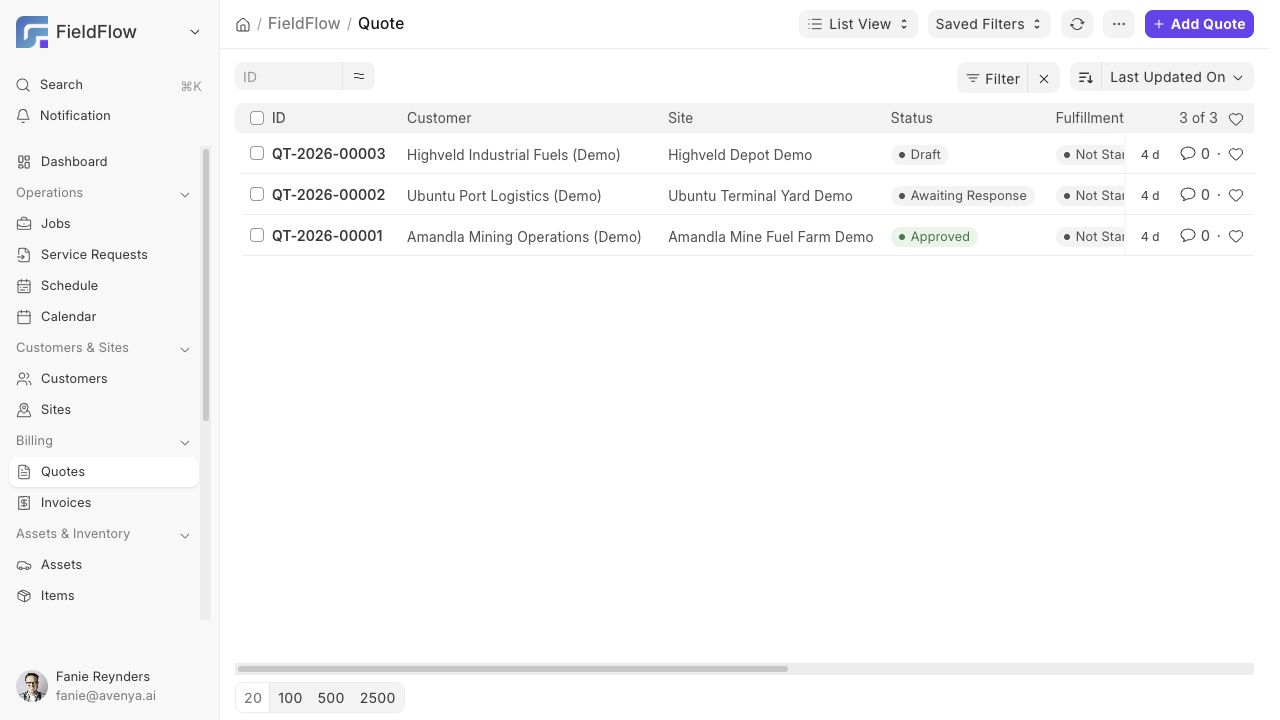
  • Online quote approval through the customer portal
  • Invoices generated from completed jobs
  • Aged receivables at a glance
FieldFlow quotes with approval statuses
Assets & parts

Know what's where — and when it's due

Track your customers' equipment with service plans, meter readings and full service history. FieldFlow tells you when the next service is due, and every job logs the parts it used.
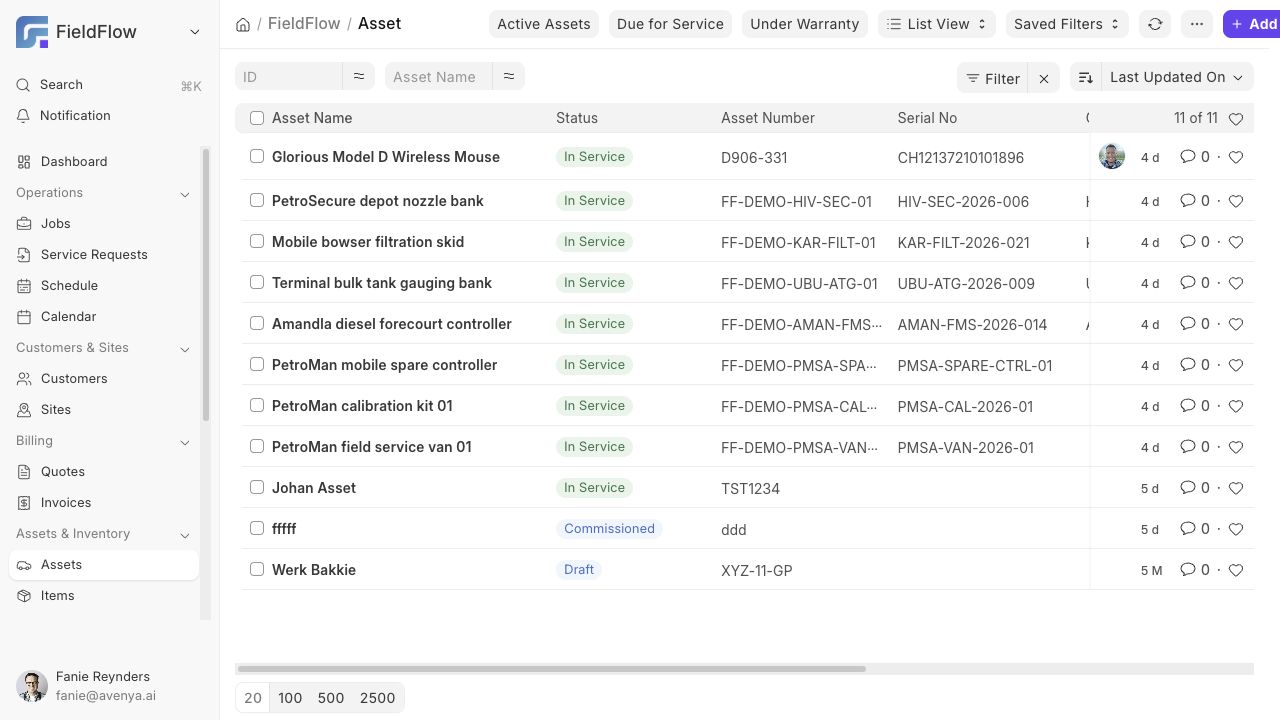
  • Asset registry with warranty and location history
  • Recurring service plans with next-due dates
  • Planned vs used parts on every job
FieldFlow asset registry
Customers & portal

Give customers their own front door

A clean, branded portal where customers request service, approve quotes, see upcoming visits and pay invoices — no phone tag, no chasing paperwork.
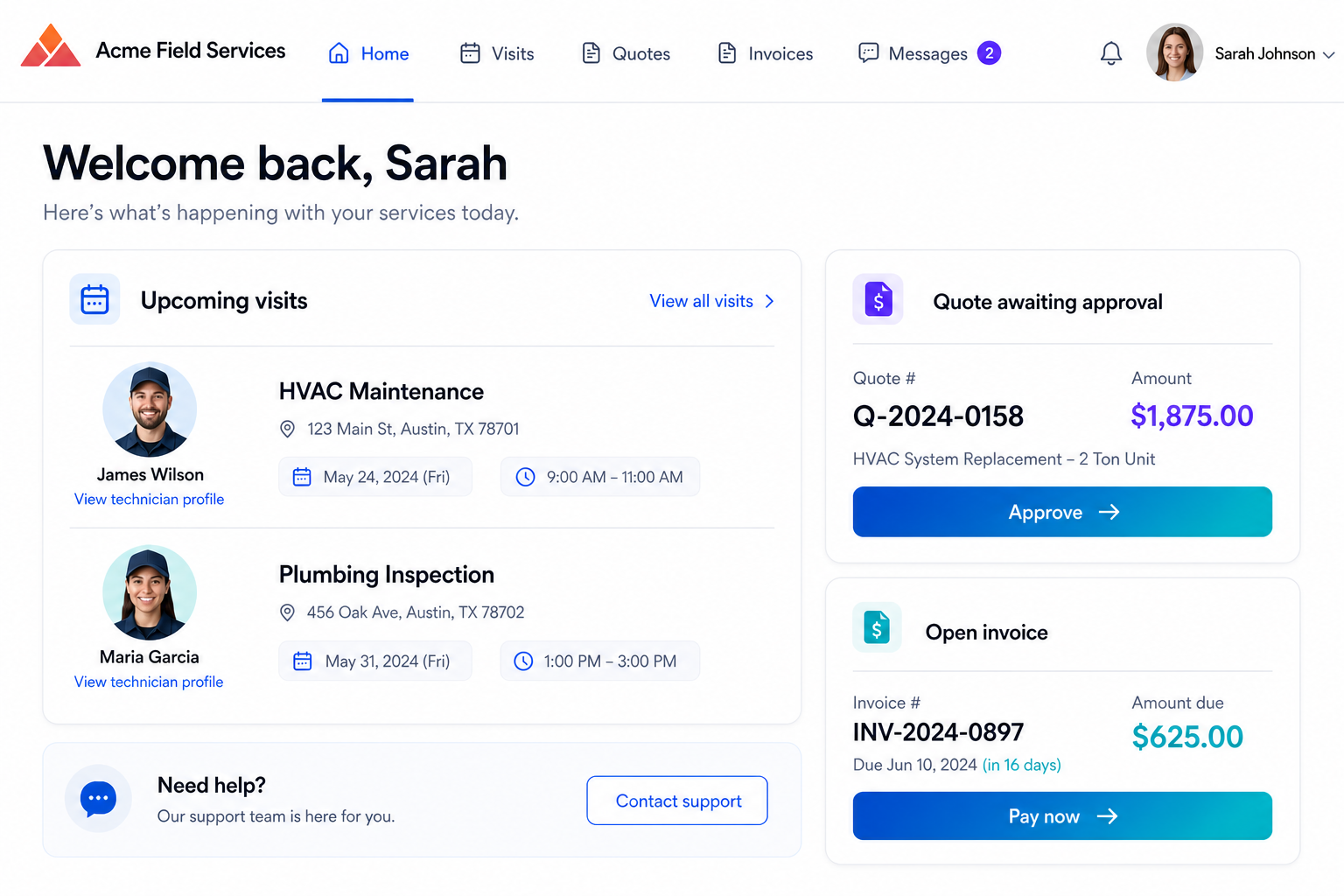
  • Online service requests, straight into your inbox
  • Quote approval and invoice payment online
  • Upcoming visits with assigned technicians
Customer portal in the service company's own branding, showing upcoming visits, quote approval and invoice payment

Talk to your business
like you talk to your team

Ava lives in the FieldFlow mobile app. Technicians describe the work in their own words — Ava does the typing.

Text “New job for Karoo Agri, leaking valve at the depot, sometime Thursday.”
Voice Leave a voice note from the van. Ava turns it into a complete job card.
Images Snap a paper job card or a broken part. Ava reads it and files it.
Technician on a rooftop recording a voice note for Ava
Compressor on unit 4 is done, need a follow-up with the replacement part next week
Created JOB-2026-00021 for Highveld Industrial, added the compressor to parts, and suggested Tuesday 09:00 with Mike. Confirm?
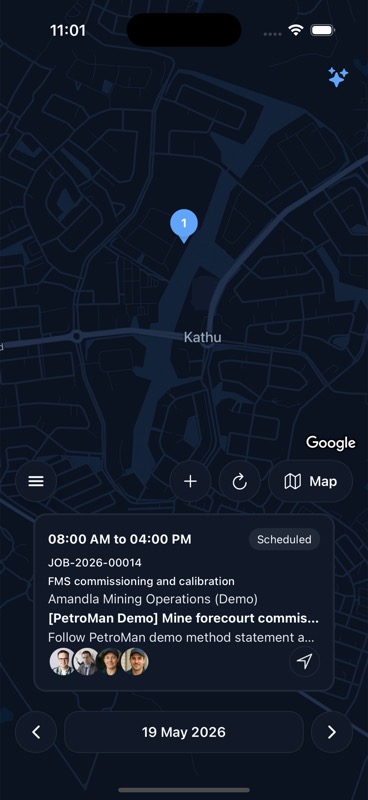
FieldFlow mobile app showing the day's jobs on a map
FieldFlow mobile job card with items, time, travel and expenses

The whole job, in every pocket

Technicians see their day on a map, open the job card, complete forms, capture photos and signatures, and log time, travel and parts — even with patchy signal.

  • Today's route and jobs at a glance
  • Forms, checklists and signatures on-site
  • Time, travel and expense capture per visit
  • Works offline, syncs when you're back in range
Explore the mobile app →

See Avenya in action

A 30-minute walkthrough with our team — bring a real job from your week and we'll run it through FieldFlow and Ava, end to end.

Talk to us